Release notes for version 4.3.0.0
Version 4.3.0.0 of Xpand Portal introduces the following features and improvements:
Global filters
When configuring portal pages, setting up data source filters correctly is essential to ensure portal security in terms of access to the right and relevant data for each user. Some filters, such as those that link data to a specific customer, are used across multiple pages throughout the portal, and it’s easy to overlook them when creating new pages or updating existing ones.
To make this process simpler and more consistent, this release introduces global filters.
Global filters are data source filters that can be defined once for the entire portal. When you configure a page and select a data source entity that has global filters assigned, those filters are automatically added to the page.
This enhancement helps maintain consistency across pages, reduces configuration time, and minimizes the risk of missing important filters.
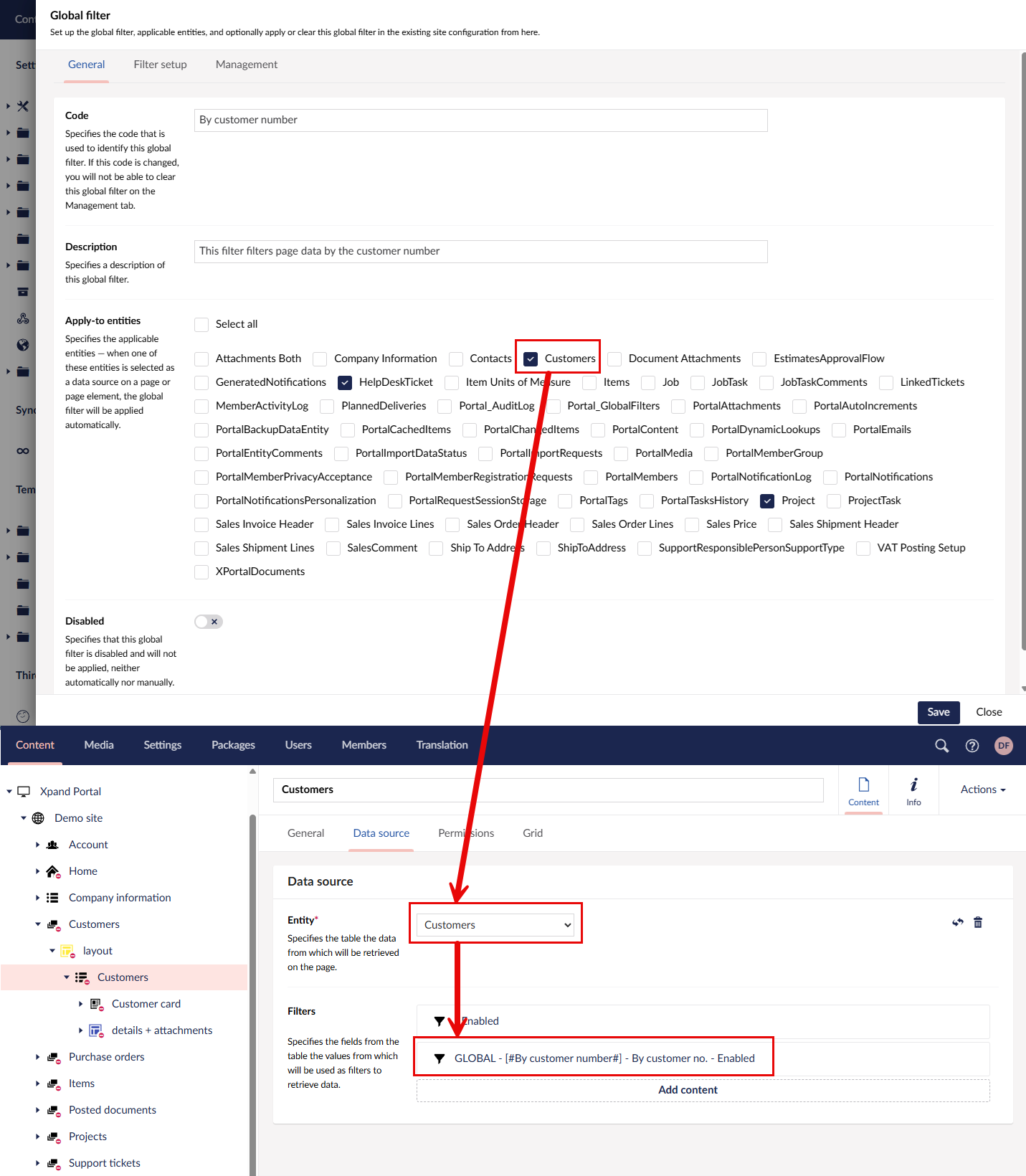
Global filters use the GLOBAL tag so that they can be easily identified.
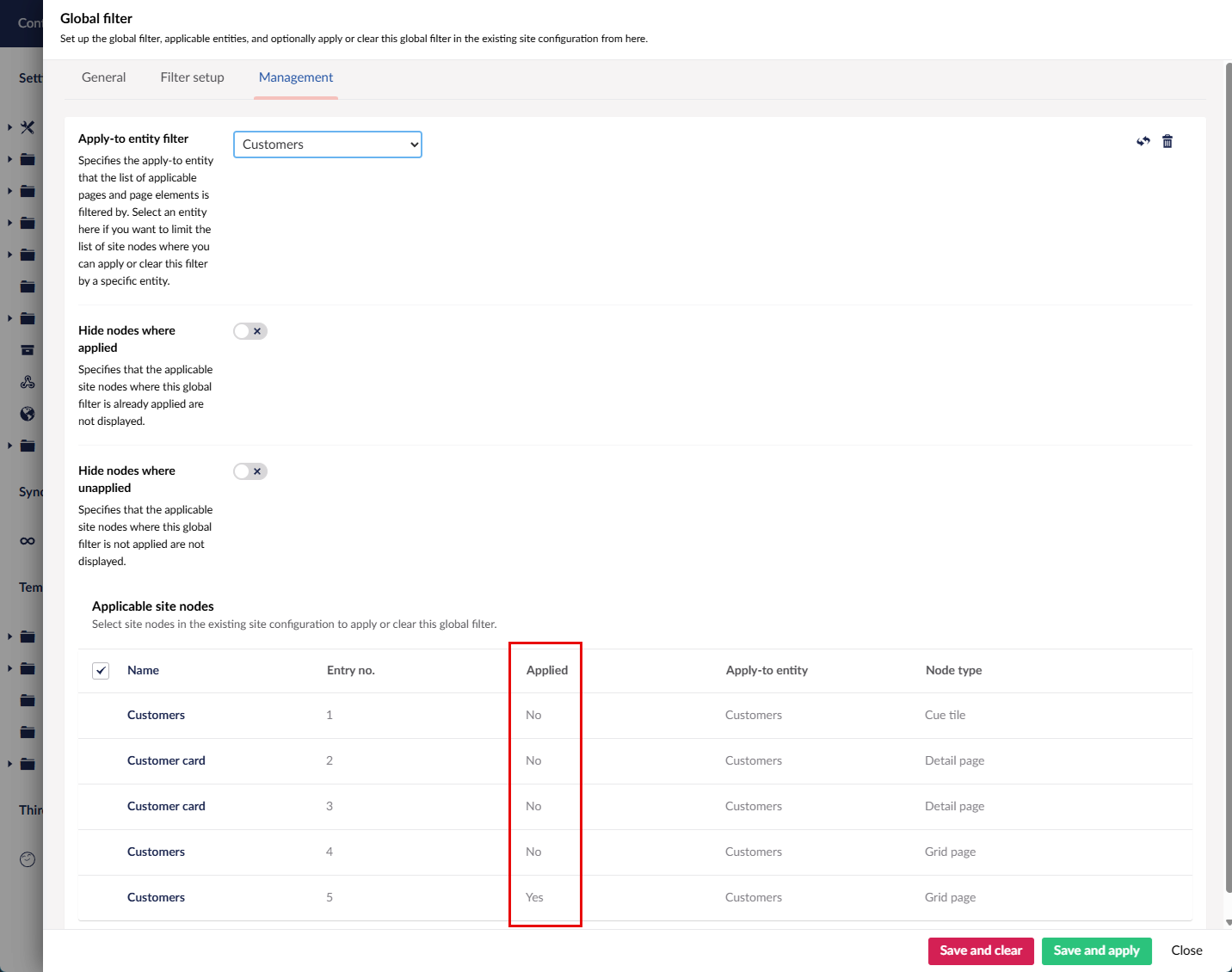
In the global filter settings, you can also manage global filters in the existing configurations by applying or clearing global filters on previously configured pages or page parts.
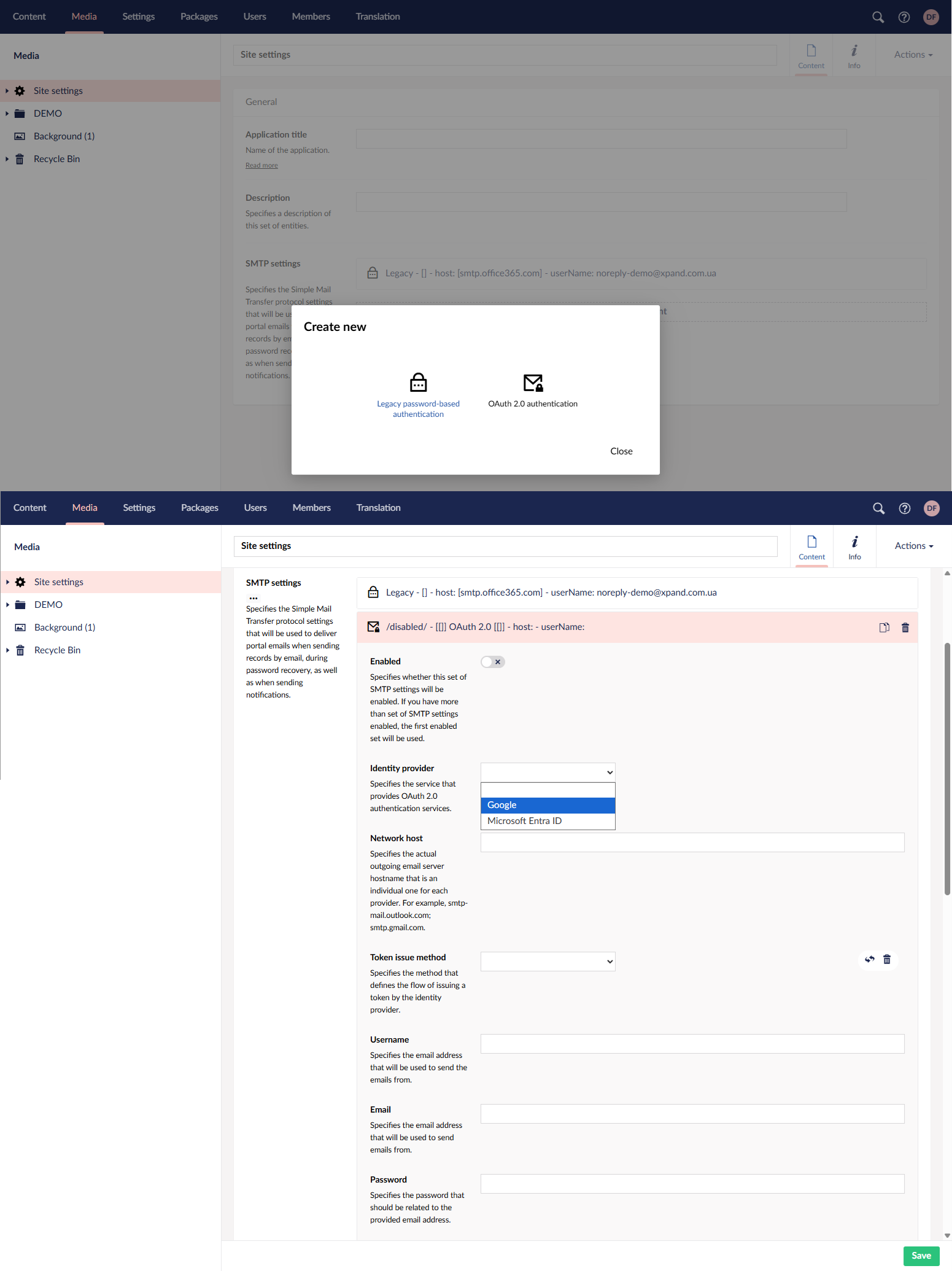
Modern SMTP authentication using OAuth 2.0
Sending emails from Xpand Portal is now more secure. In addition to the traditional password-based method, you can now use modern OAuth 2.0 authentication for safer connection. Configure Google or Microsoft Entra ID as your identity provider — or, as part of customization, connect any other provider.
Enhanced notifications processing and monitoring
The notifications functionality in Xpand Portal involves a lot of activity behind the scenes. Background tasks continuously track record changes and process them in batches to generate notifications based on user subscriptions. As the use of notifications continues to grow, we have implemented improvements in the notifications engine to make the portal more resilient under high loads, ensuring faster processing and fewer issues.
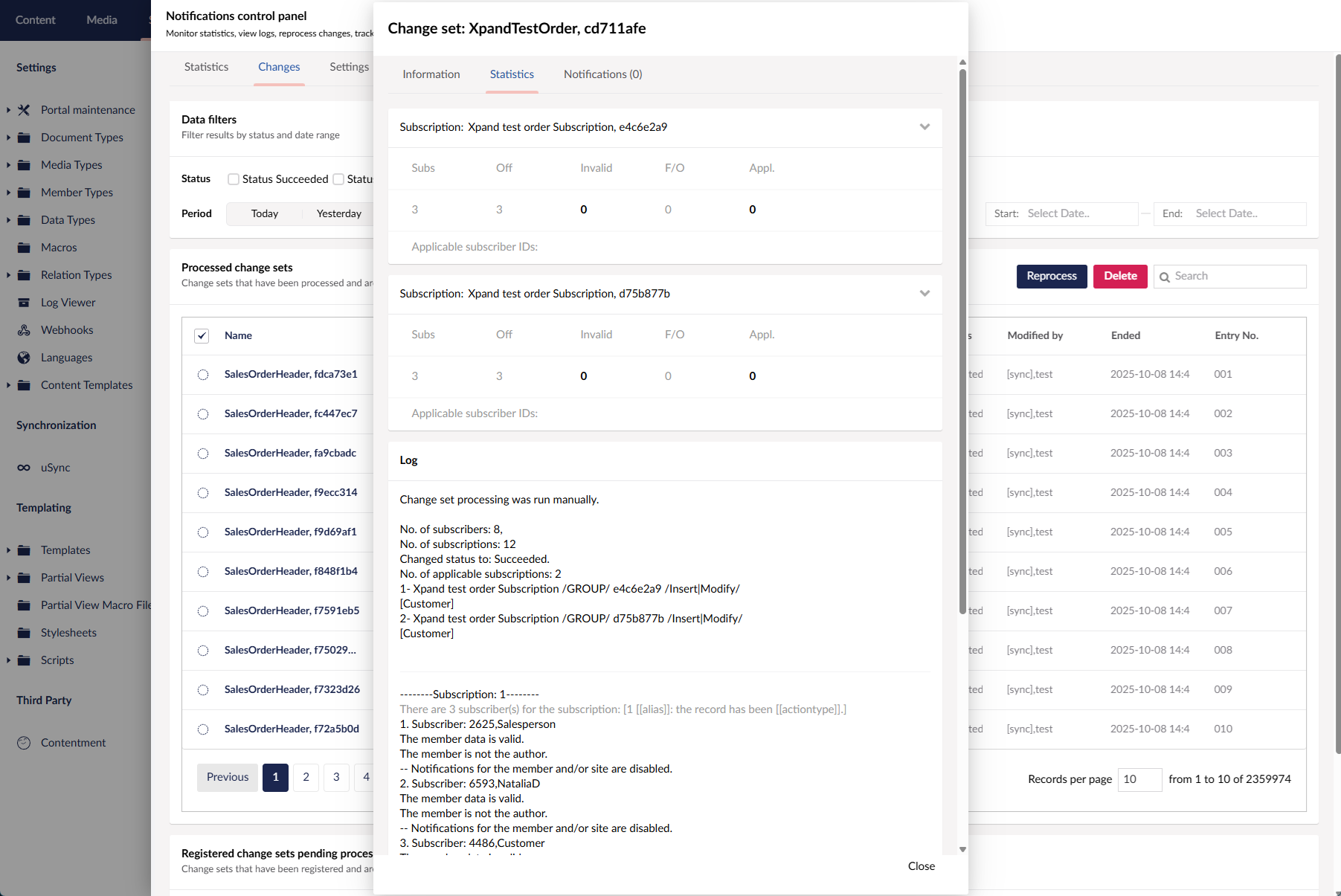
In addition, we have introduced Notifications Control Panel to make it easier and faster to monitor notification performance and identify issues.
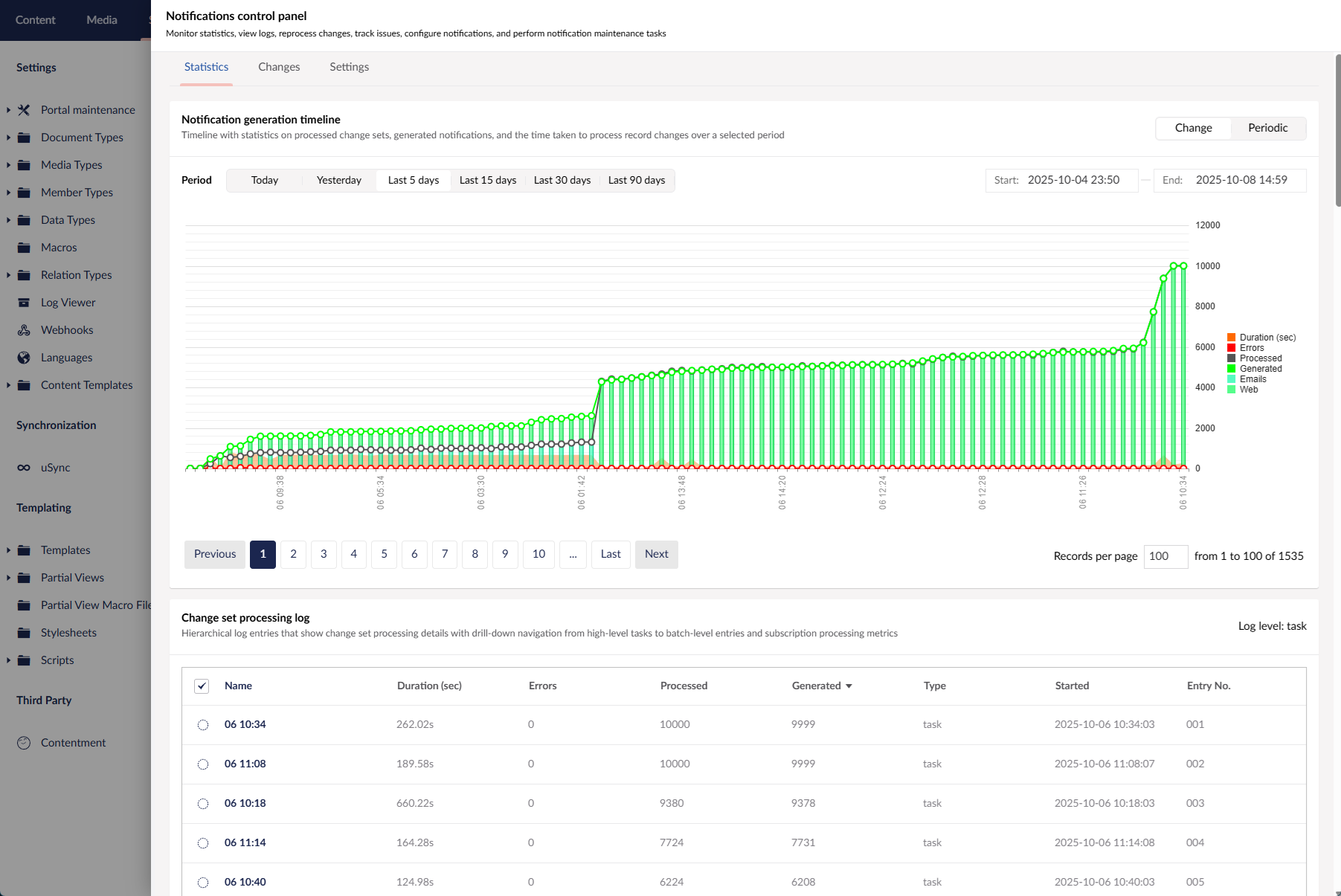
From this panel, you can:
- View statistics for the selected period and task type in a timeline chart for a set of task runs, batches, or a single batch (depending on the log level) on:
- Processed change sets
- Generated notifications (web, portal, total)
- Errors
- The time taken to process record changes
- Review detailed log that contains statistics collected after processing change sets by background tasks. The log has three levels:
- Background task level: for each task run of the selected task type and time period
- Batch level: for each batch in the task run selected on the previous log level
- Subscription level: for a single batch selected on the previous log level
- Inspect detailed information about record changes as well as generated notifications for each processed change set
- Perform a test run to simulate the processing of a change set for troubleshooting purposes
- Reprocess change sets (may be useful after troubleshooting to actually try generating notifications again)

On top of that, portal administrators now receive email alerts when issues occur with generation of notifications.
Improved actions layout customization
To provide more flexibility in how users interact with portal pages and filters, we’ve expanded layout configuration options. These updates let you better tailor the placement of key actions to match specific use cases and user workflows.
Flexible positioning of actions on detail pages
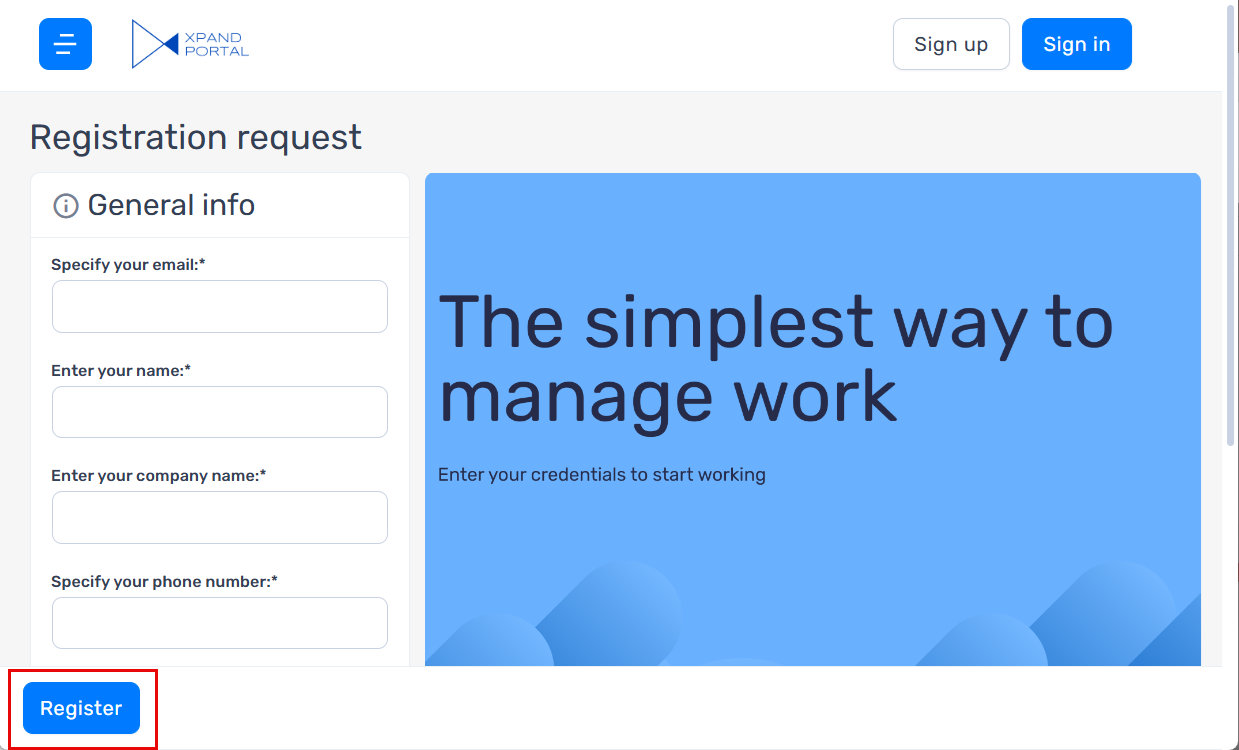
Up until now, the toolbar commands could only be located in the top-right corner of detail pages. However, in some scenarios, it may be more convenient to place actions at the bottom — for example, when a detail page is used for registration purposes, contains a large number of fields, and you want to complete the registration process without scrolling back to the top.
To support such cases, we’ve added new options that allow you to:
Choose the position of the Actions toolbar on the detail page (top or bottom).
Adjust its horizontal alignment (left, center, or right).
Promoted filters: customizable position of the Apply all action
In promoted filters, we added the option to choose the position of the Apply all action (top or bottom) in the filter summary pane as well as revised the behavior of certain promoted filter settings.

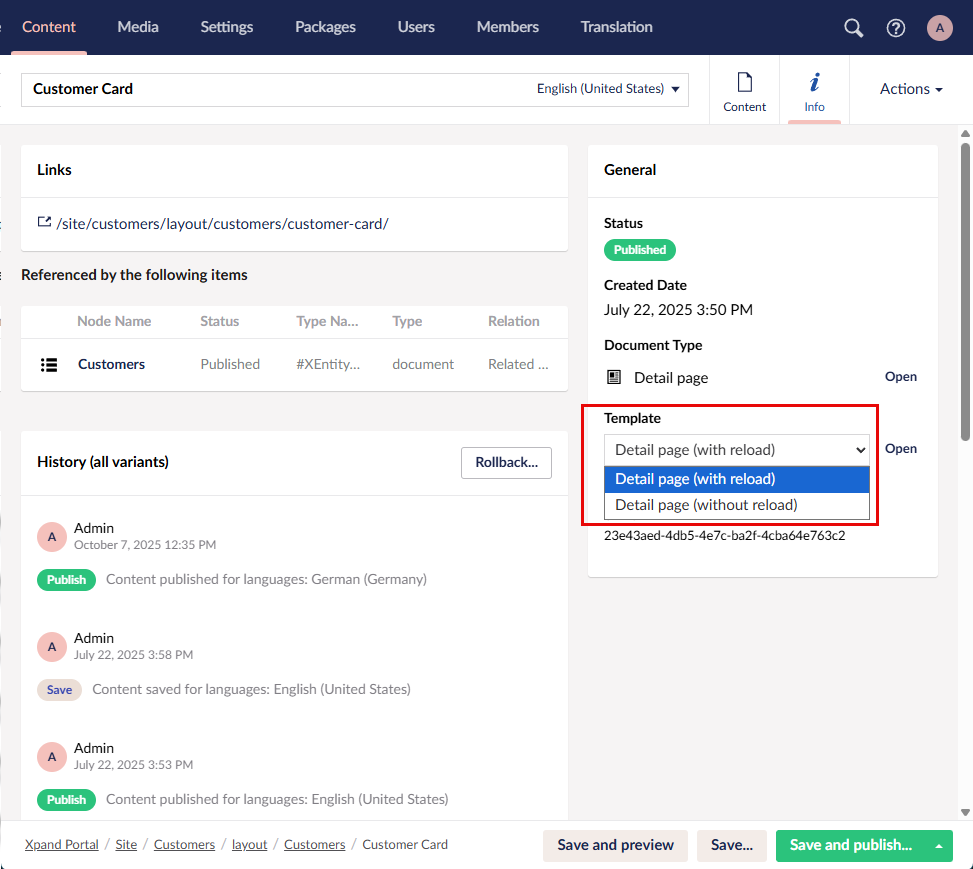
A new Detail page template with instant transition into the edit mode
We’ve introduced a new Detail page template that enables instant transition into the edit mode without reloading. Previously, the page had to reload automatically when creating a new record, which could be frustrating for portal users. The new approach ensures a smoother and faster editing experience.
The page template can be selected in the Info section in the Template field when configuring a page.
Minor tweaks and improvements
In this release, we’ve made multiple UI adjustments and other refinements focused on optimizing space usage and improving usability, especially on screens with smaller resolutions:
- Adjusted padding and control size across various page parts and UI elements to create a cleaner layout and provide more space for data. For example:
Old version
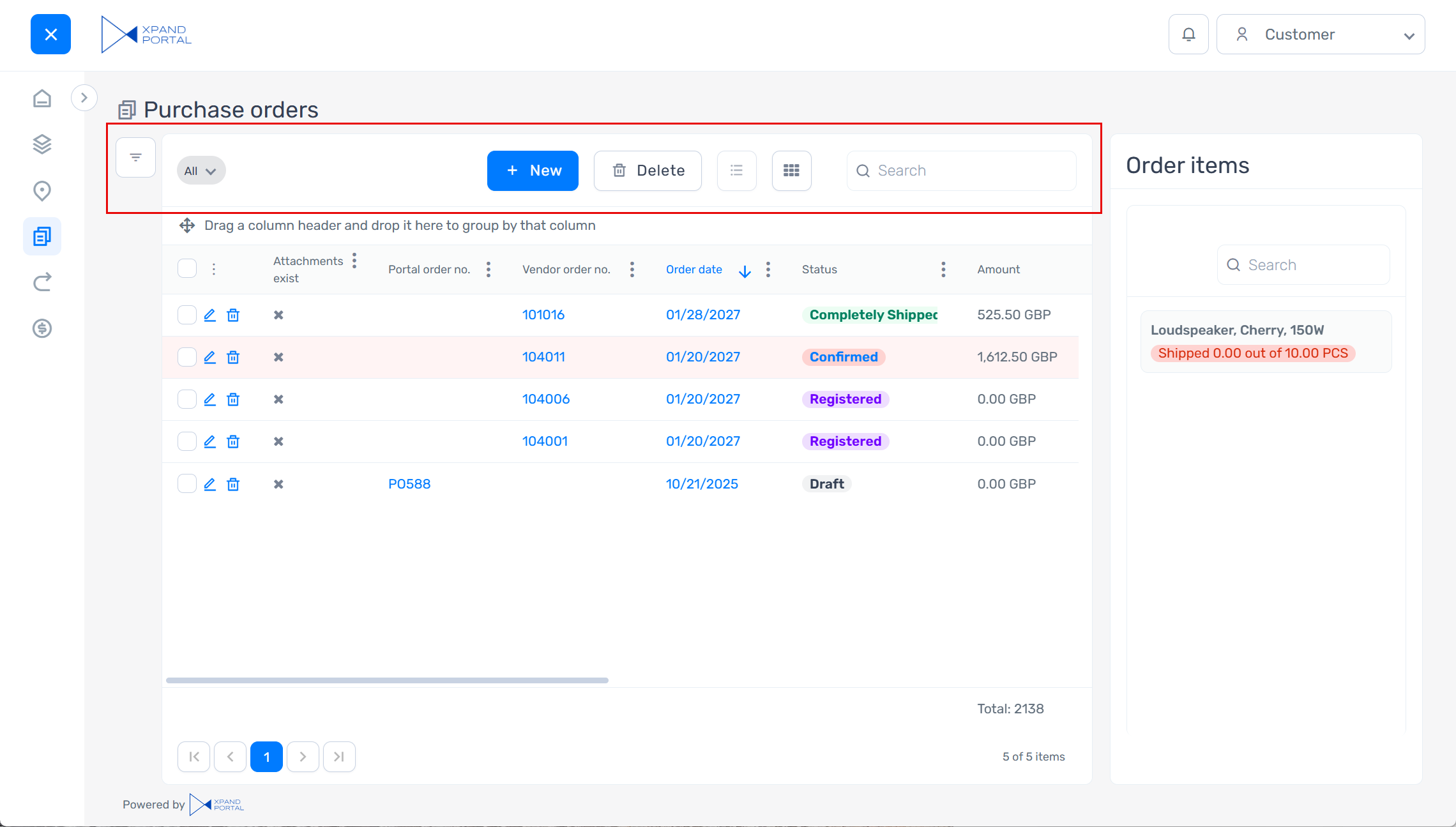
New version
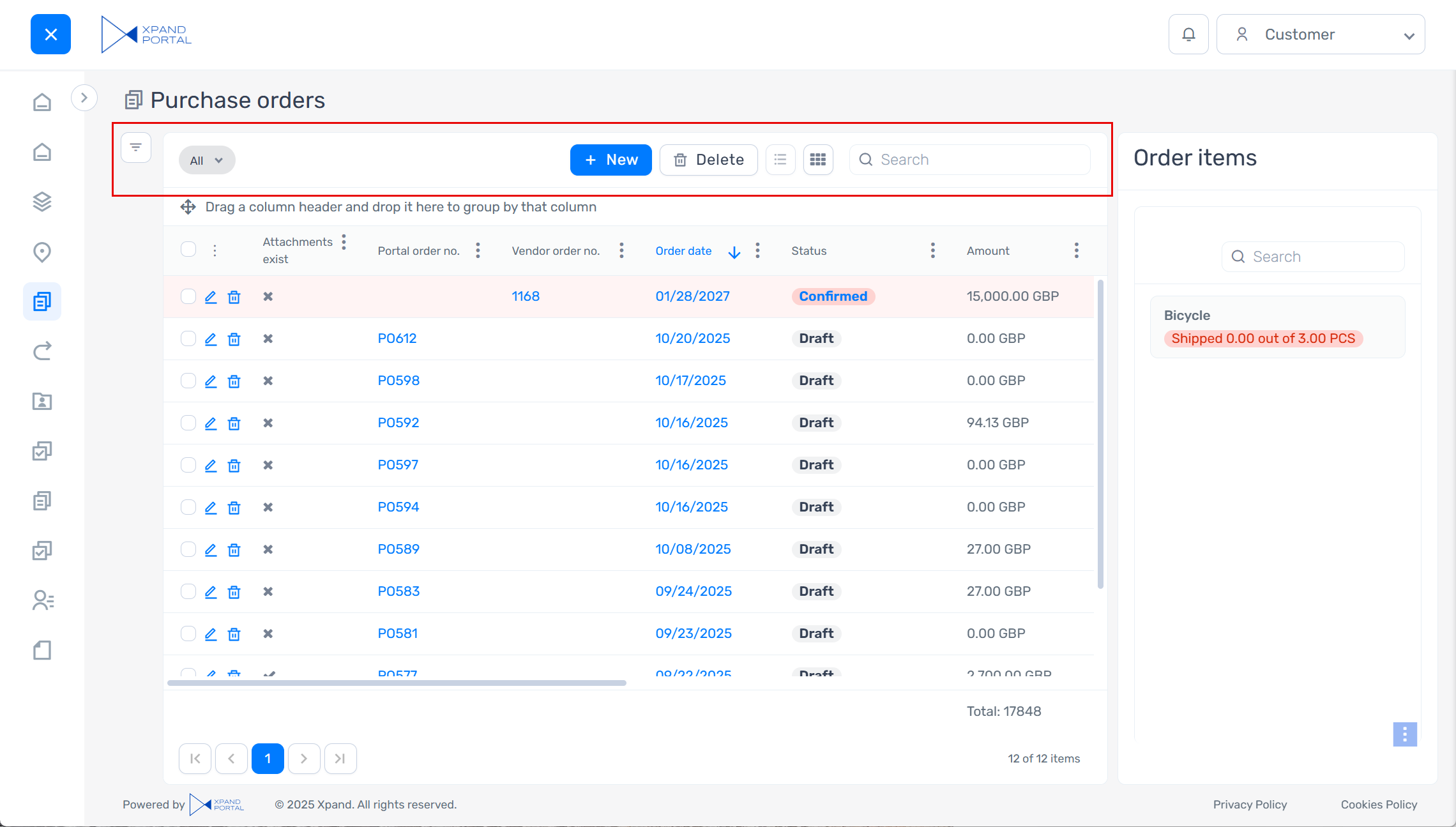
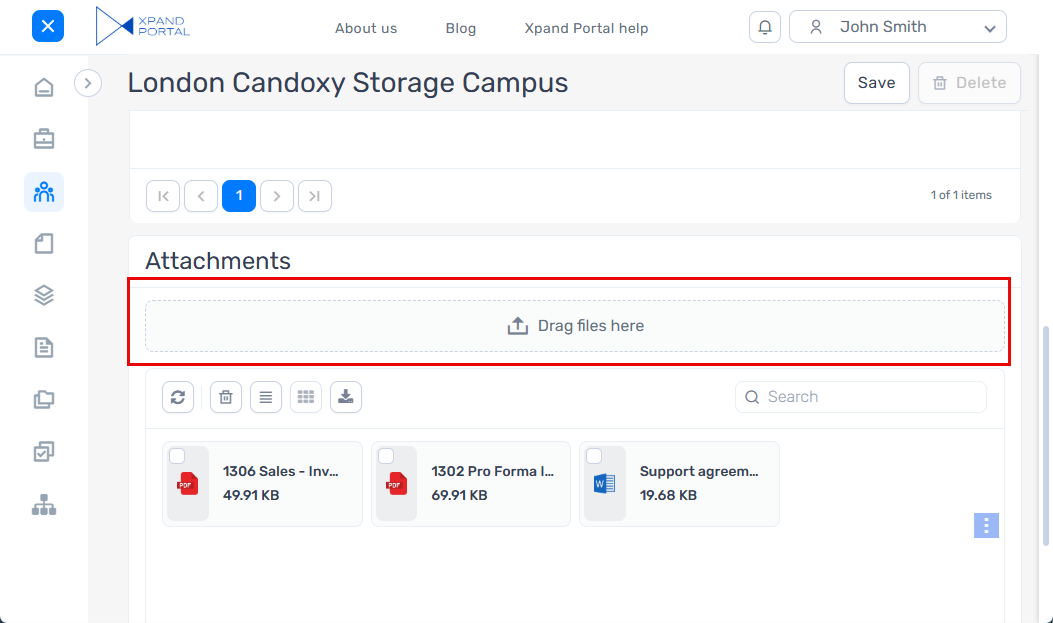
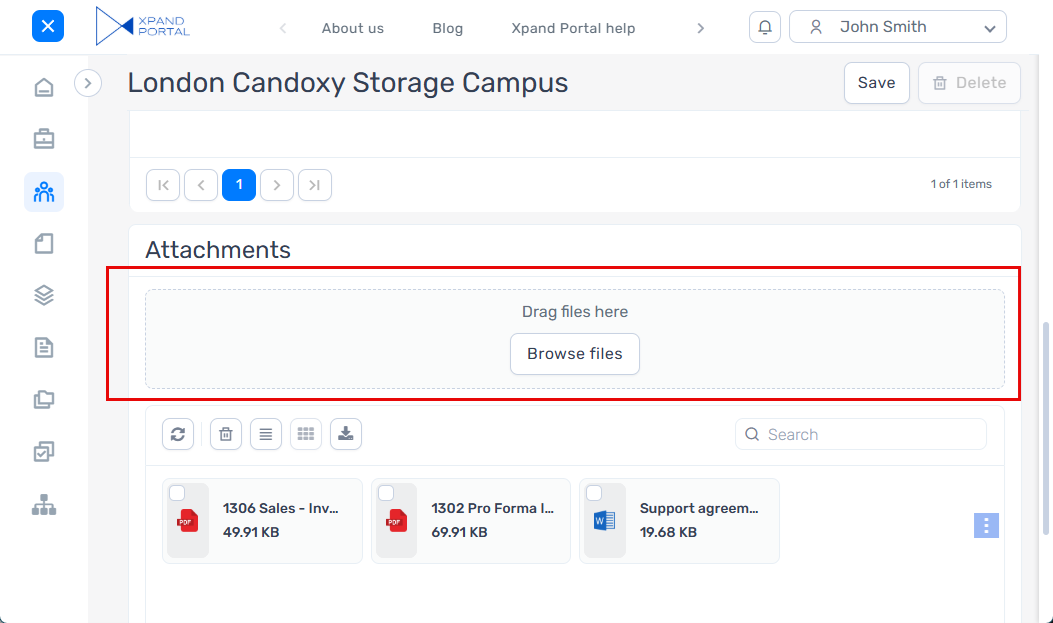
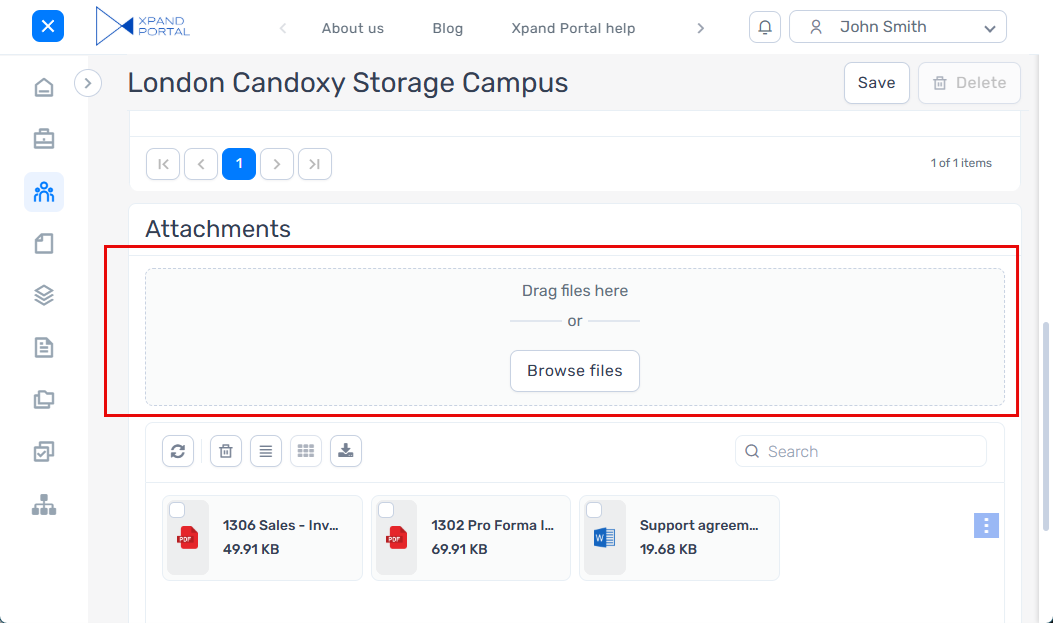
- Added the ability to choose from three preconfigured designs for the drop zone in the attachment upload area:
- Compact - A short-height drop zone without a button; the entire area is clickable and allows icon customization.
- Standard - A medium-height drop zone with an upload button and no delimiter.
- Large - A larger, tall-height drop zone with an upload button and a delimiter for improved visibility.
- Compact - A short-height drop zone without a button; the entire area is clickable and allows icon customization.
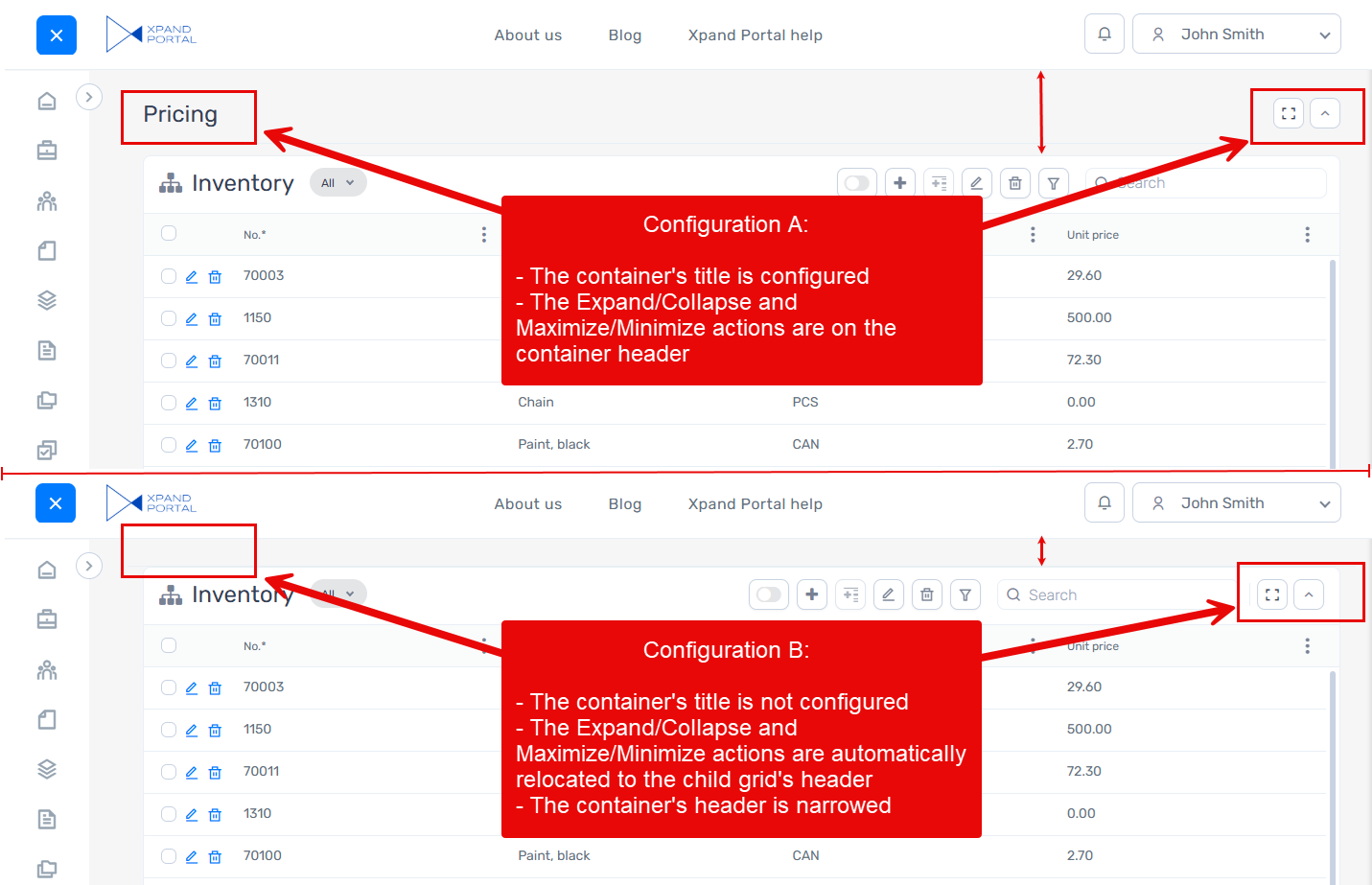
- The position of the Expand/Collapse and/or Maximize/Minimize actions is now flexible depending on whether the page container has a title configured. For example:
- Configuration A: The page container has a title. In this case, the Expand/Collapse and/or Maximize/Minimize actions remain on the title level.
- Configuration B: The page container does not have a title. In this case, to avoid having a large empty area, the Expand/Collapse and/or Maximize/Minimize actions are automatically moved to the grid header below.
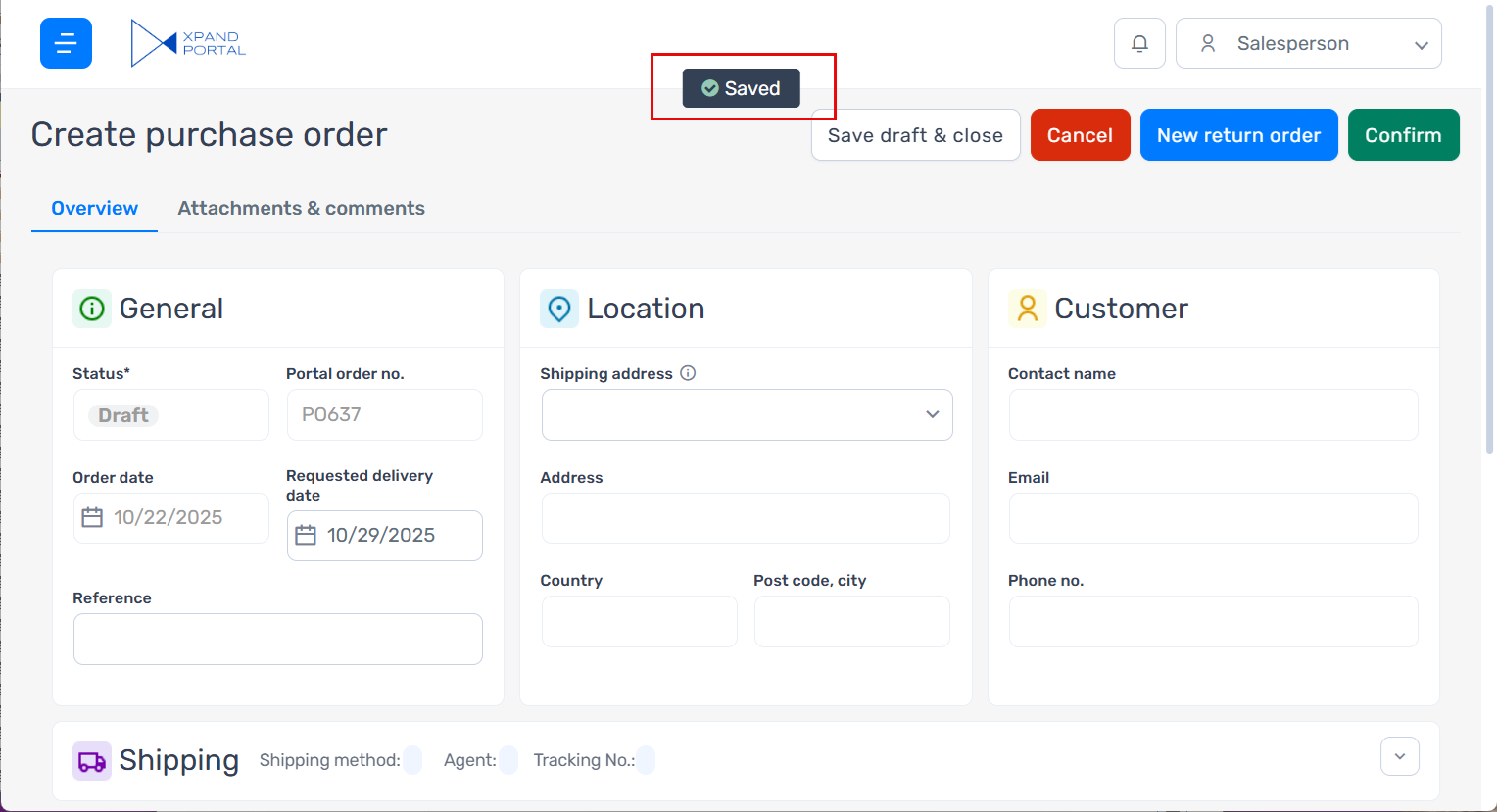
- Redesigned the saving status — it now has a brand-new look and appears as a centered popup at the top of the page, without taking up space near the page actions.
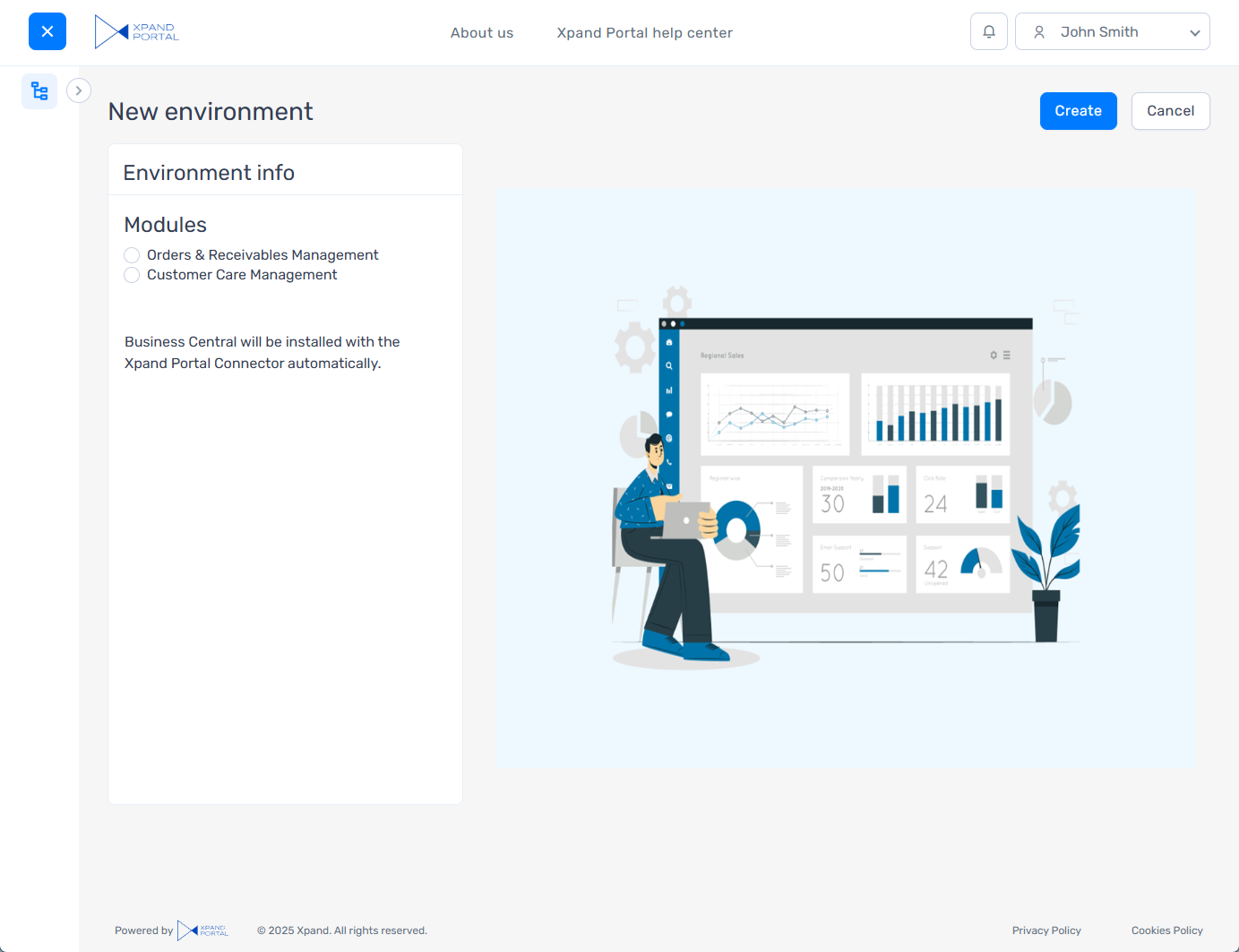
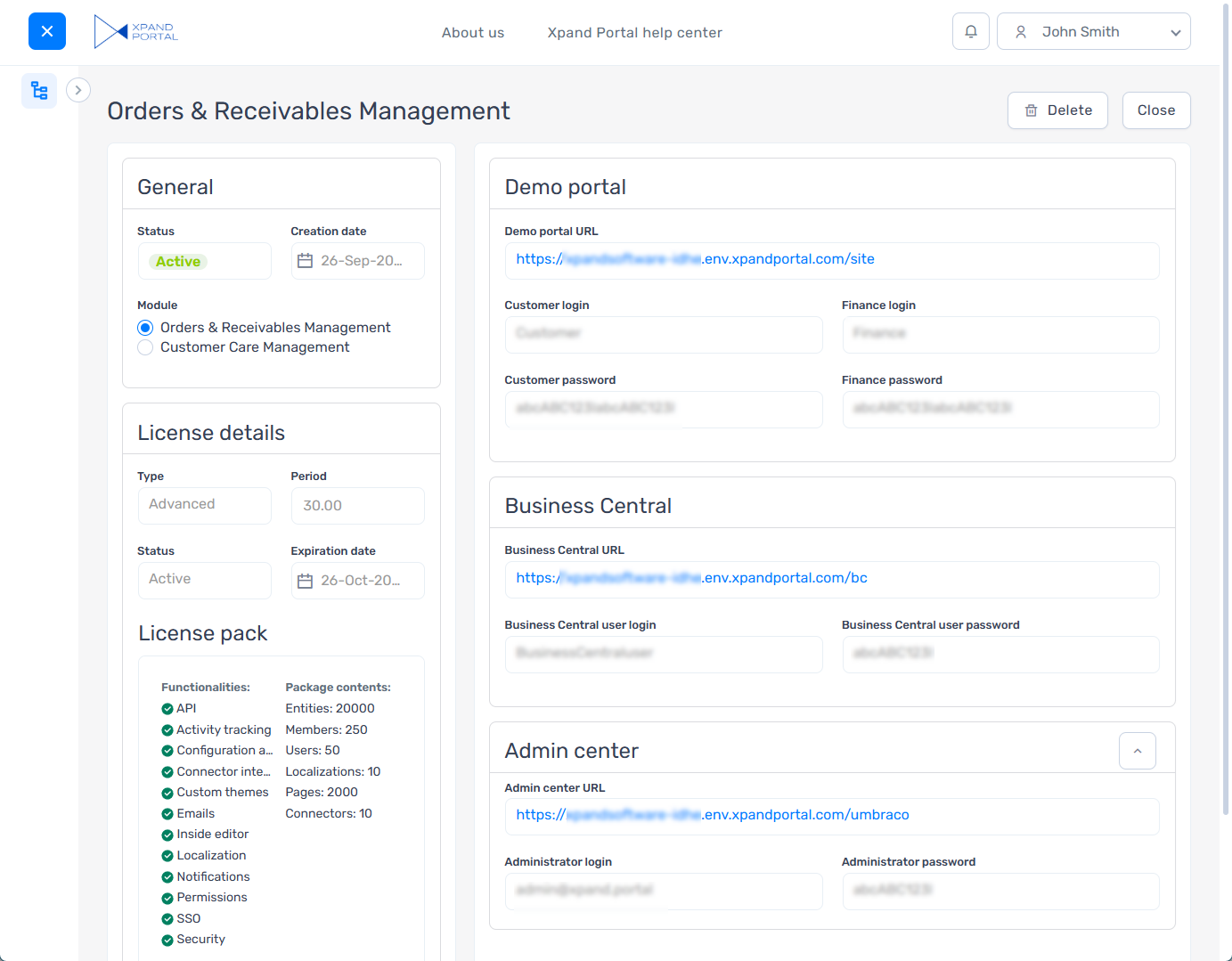
Demo Environment Management Portal
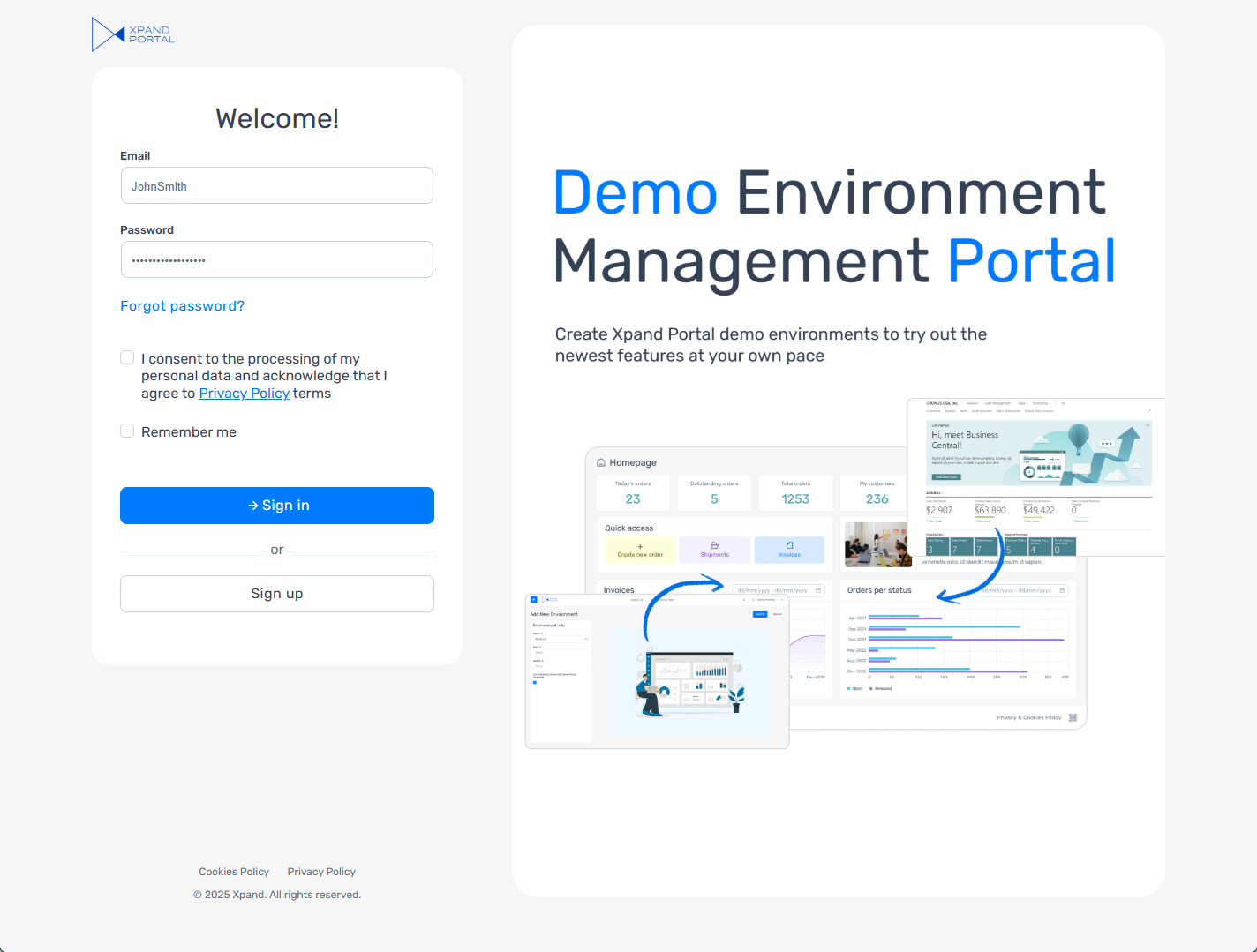
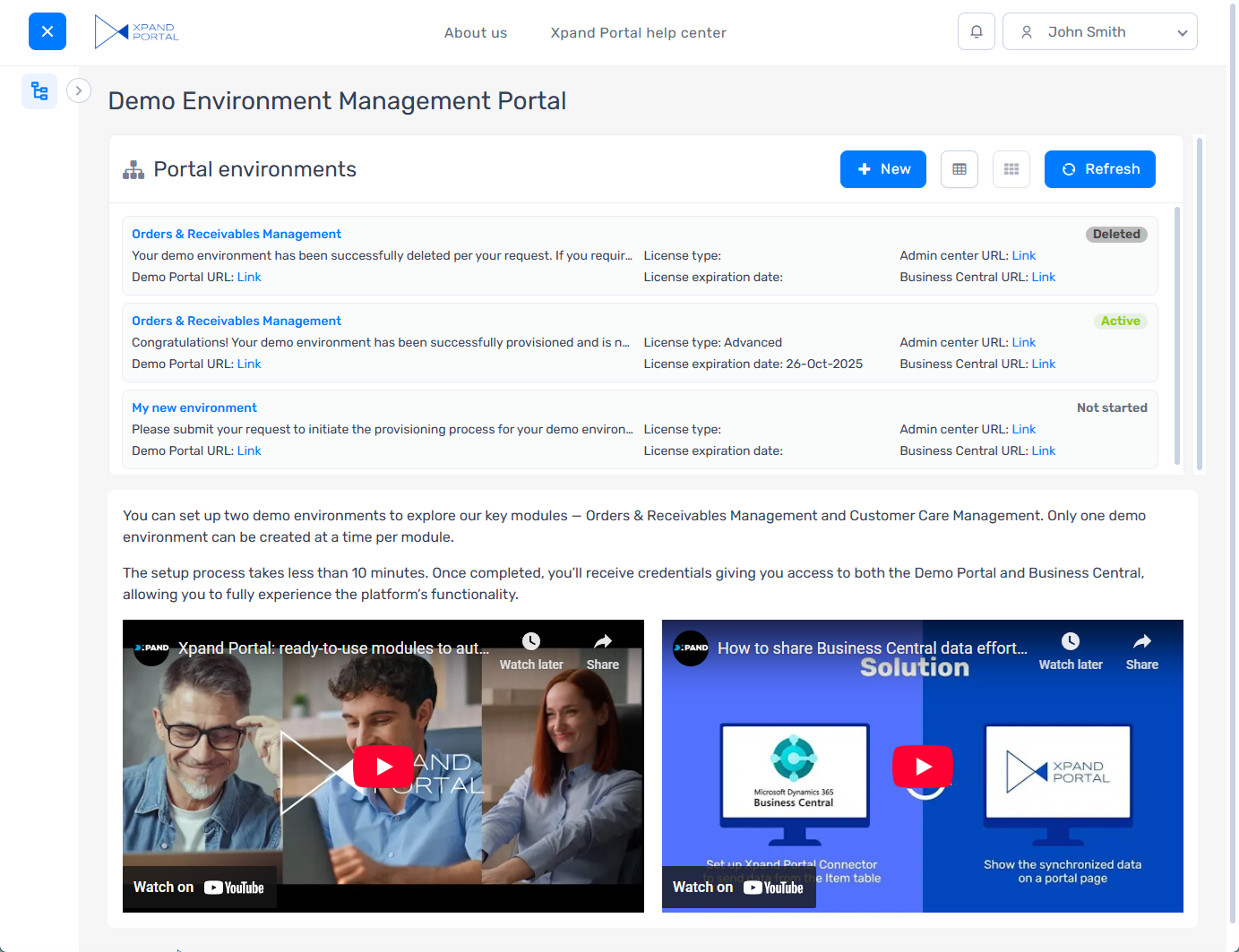
The Demo Environment Management Portal (formerly known as Xpand Control Panel) — a standalone website where any registered visitor can create and manage Xpand Portal demo environments — has been completely overhauled!
- Enjoy a fresh new look for a better user experience.
- Benefit from revised configuration that makes environment setup more straightforward.
- Work with demo data powered by Xpand Portal modules, making demo environments more relevant and realistic.
Bug fixes and performance improvements
Various issues have been fixed throughout Xpand Portal. This release also includes performance enhancements across various areas.