Extending Qvaba Flexible Documents integration
In the out-of-the-box Qvaba Flexible Documents solution, you can generate documents from templates, send the generated documents by email as well as view generated documents either directly from the document template card as well as from selected pages:
- FInancial documents:
- Sales Order
- Sales Invoice
- Sales Credit Memo
- Posted Sales Invoice
- Posted Sales Credit Memo
- Purchase Order
- Purchase Invoice
- Purchase Credit Memo
- Posted Purchase Invoice
- Posted Purchase Credit Memo
- Other pages:
- Customer Card
- Document Template Card
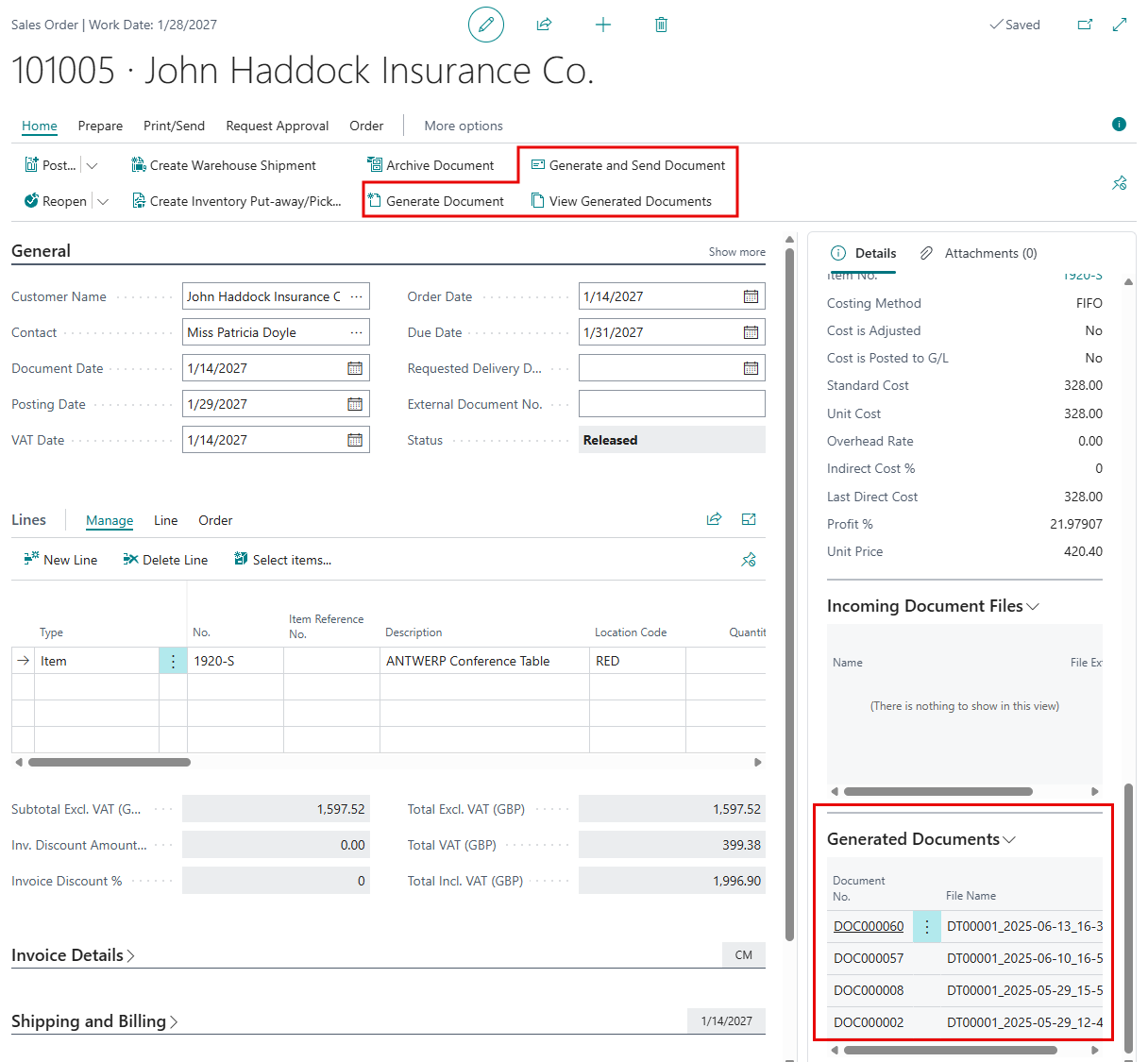
To extend the integration with the standard Business Central functionality or enhance custom solutions with document generation features, the Qvaba Flexible Documents app provides a reusable framework that requires minimal development effort.
Adding QFD features to pages or page extensions
Features you can add to the needed page or page extension:
- Generate document
- Generate and send document
- View generated documents (via action and/or FactBox)
To add these features, simply add the required controls to your target page or page extension using the code below.
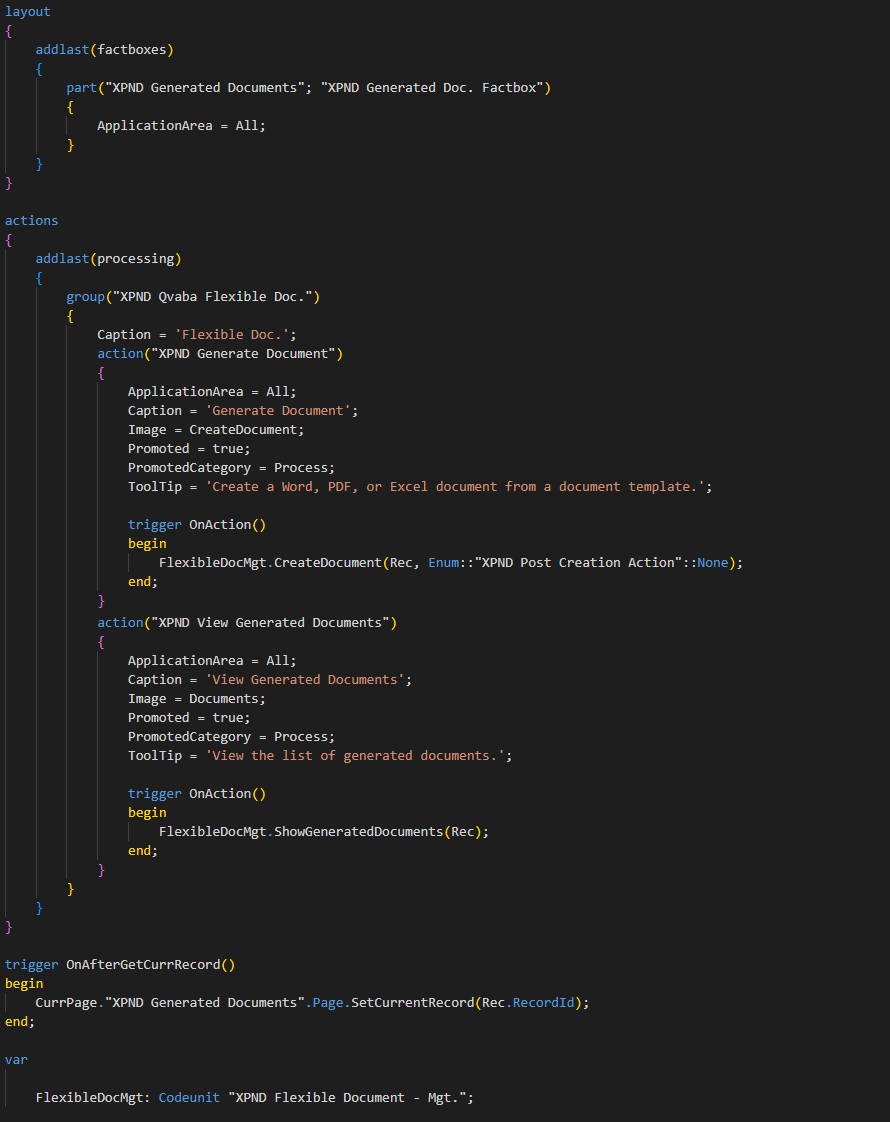
    layout
    {
        addlast(factboxes)
        {
            part("XPND Generated Documents"; "XPND Generated Doc. Factbox")
            {
                ApplicationArea = All;
            }
        }
    }
    actions
    {
        addlast(processing)
        {
            group("XPND Qvaba Flexible Doc.")
            {
                Caption = 'Flexible Doc.';
                action("XPND Generate Document")
                {
                    ApplicationArea = All;
                    Caption = 'Generate Document';
                    Image = CreateDocument;
                    Promoted = true;
                    PromotedCategory = Process;
                    ToolTip = 'Create a Word, PDF, or Excel document(s) from a suggested document template(s) for the current entity or from manually selected document template(s).';
                    trigger OnAction()
                    begin
                        FlexibleDocMgt.CreateDocument(Rec, Enum::"XPND Post Creation Action"::None);
                    end;
                }
                action("XPND Generate and Send Document")
                {
                    ApplicationArea = All;
                    Caption = 'Generate and Send Document';
                    Image = Email;
                    Promoted = true;
                    PromotedCategory = Process;
                    ToolTip = 'Create a Word, PDF, or Excel document(s) from a suggested document template(s) for the current entity or from manually selected document template(s), and then immediately send them by email.';
                    trigger OnAction()
                    begin
                        FlexibleDocMgt.CreateDocument(Rec, Enum::"XPND Post Creation Action"::"Send Email");
                    end;
                }
                action("XPND View Generated Documents")
                {
                    ApplicationArea = All;
                    Caption = 'View Generated Documents';
                    Image = Documents;
                    Promoted = true;
                    PromotedCategory = Process;
                    ToolTip = 'View the list of all generated documents from this entity.';
                    trigger OnAction()
                    begin
                        FlexibleDocMgt.ShowGeneratedDocuments(Rec);
                    end;
                }
            }
        }
    }
    trigger OnAfterGetCurrRecord()
    begin
        CurrPage."XPND Generated Documents".Page.SetCurrentRecord(Rec.RecordId);
    end;
    var
        FlexibleDocMgt: Codeunit "XPND Flexible Document - Mgt.";
Extending Document Template Selection Setup
If you want to have document templates automatically suggested for selection during generation according to the Document Template Selection Setup, use the OnGetTempDocTmplSelectFromSelectSetup event from the XPND Flexible Document - Mgt. codeunit as shown in the example below.
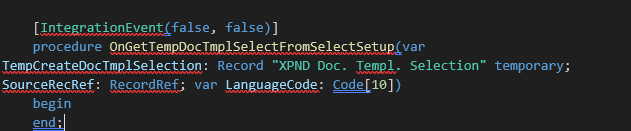
    [IntegrationEvent(false, false)]
    procedure OnGetTempDocTmplSelectFromSelectSetup(var TempCreateDocTmplSelection: Record "XPND Doc. Templ. Selection" temporary; SourceRecRef: RecordRef; var LanguageCode: Code[10])
    begin
    end;
Adding a dependency on the Qvaba Flexible Documents app
Finally, to be able to use the code of Qvaba Flexible Documents, in your app.json, you need to add a dependency on the Qvaba Flexible Documents app:
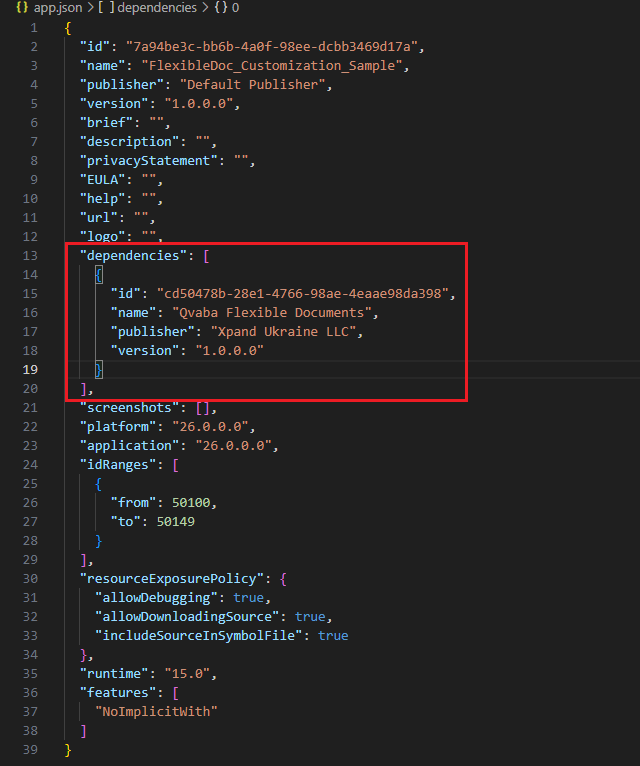
    {
      "id": "cd50478b-28e1-4766-98ae-4eaae98da398",
      "name": "Qvaba Flexible Documents",
      "publisher": "Xpand Ukraine LLC",
      "version": "1.0.0.0"
    }