Creating a portal structure migration package
To migrate the structure of the portal onto a different environment or to back it up, you can create portal structure migration packages, which can be then be exported and imported when necessary.
To create a portal structure migration package
- In CMS, go to Developer, and then select the Portal Structure Migration tab.
- Select the Create package button.
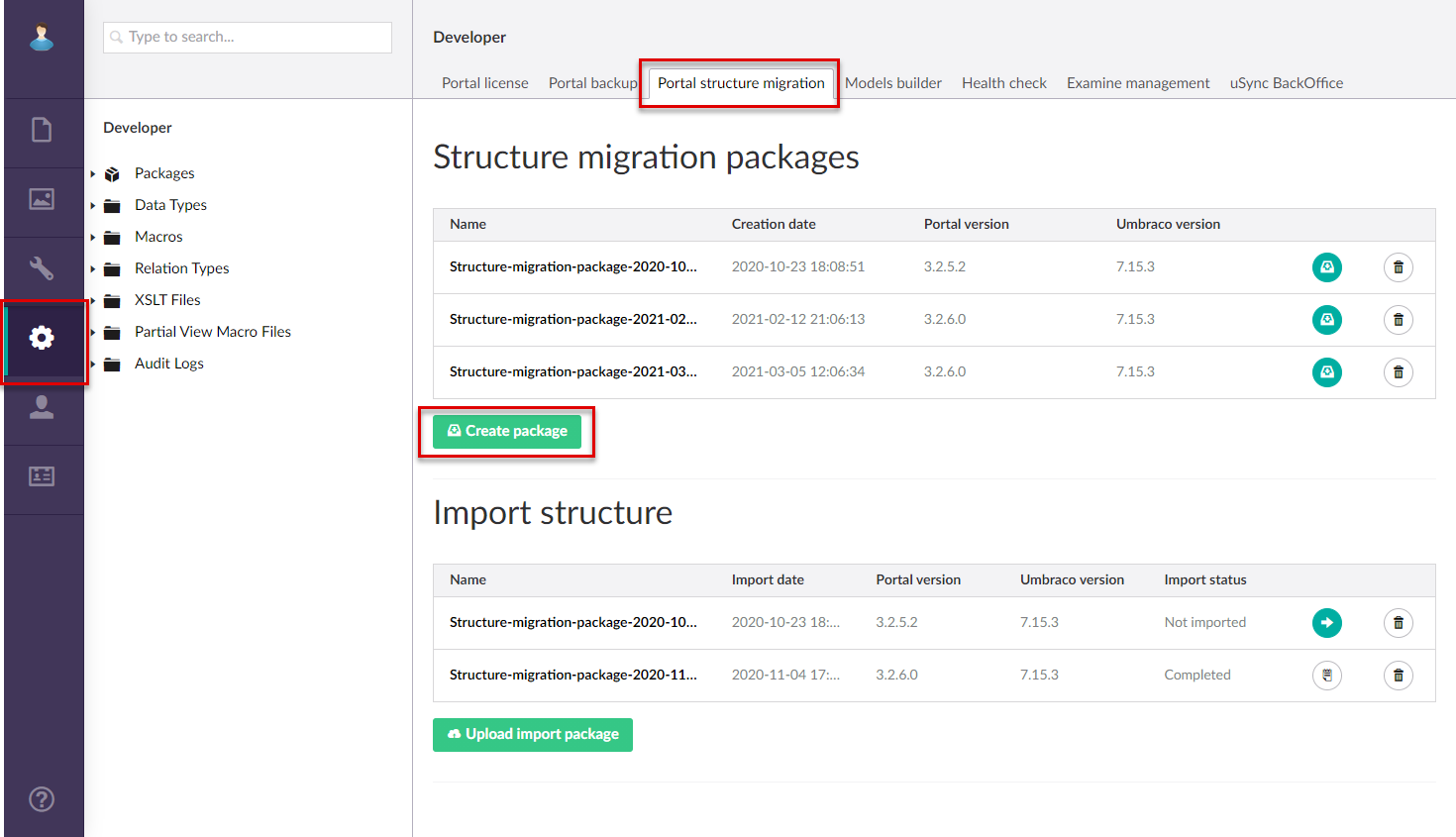
- Wait until the structure migration package creation process is completed. The created package will appear in the list of structure migration packages.
Now, the created package can be exported for migration or backup purposes.
Delete created package
To delete a created structure migration package, select the Delete  icon next to the package in the Structure migration package list.